Platforms: Android · macOS · Even G2
Coming soonHypernova
A control room for Claude Code: on your phone, in your menu bar and on your glasses.
Download
The first public release is being prepared. Until it’s out, you can build it from source.
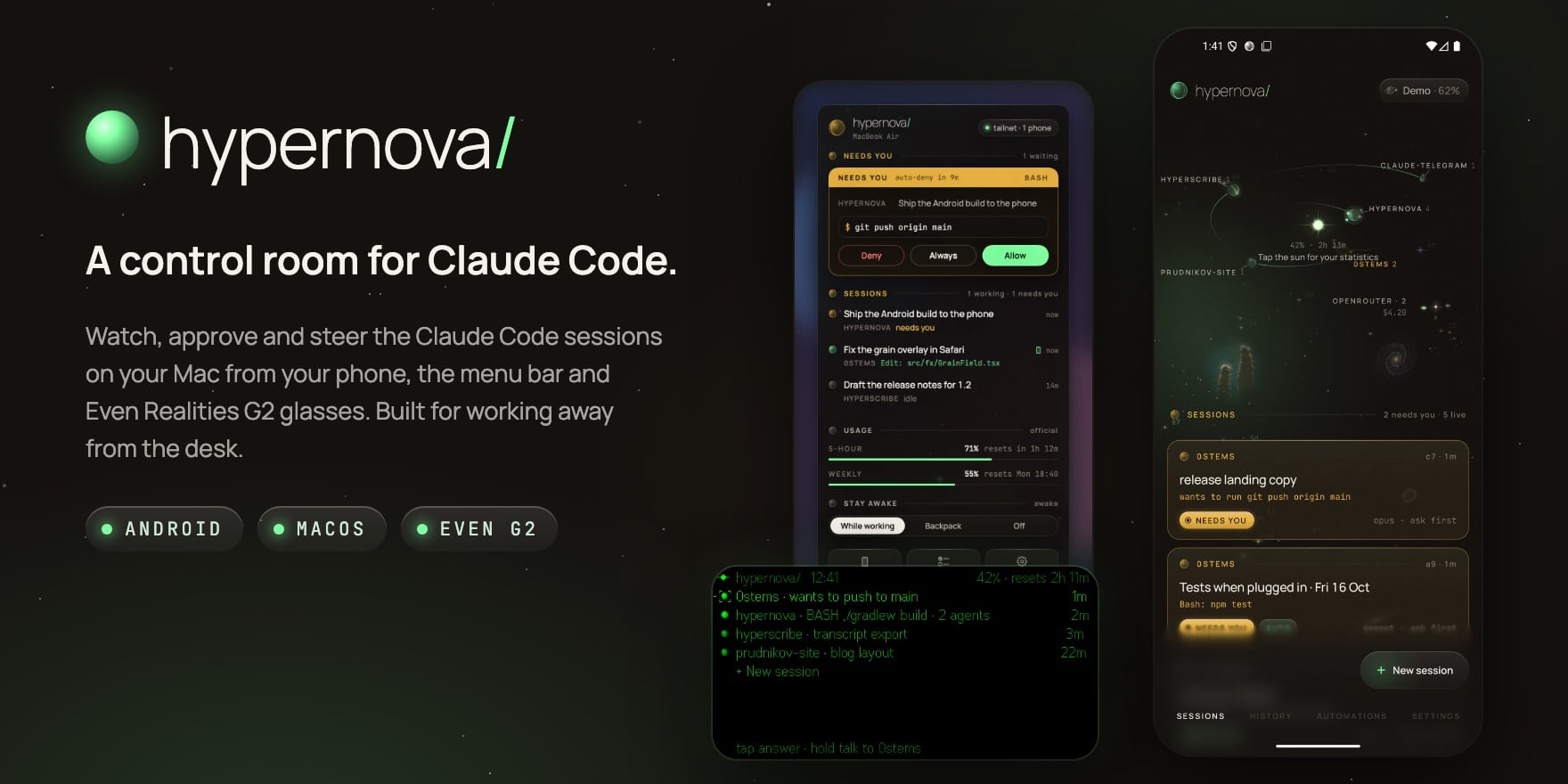
What it is
Claude Code does its best work when you let it run, and it always needs you at the worst moment: a command to approve, a question to answer, a limit to wait out. Hypernova keeps you in the loop wherever you are.
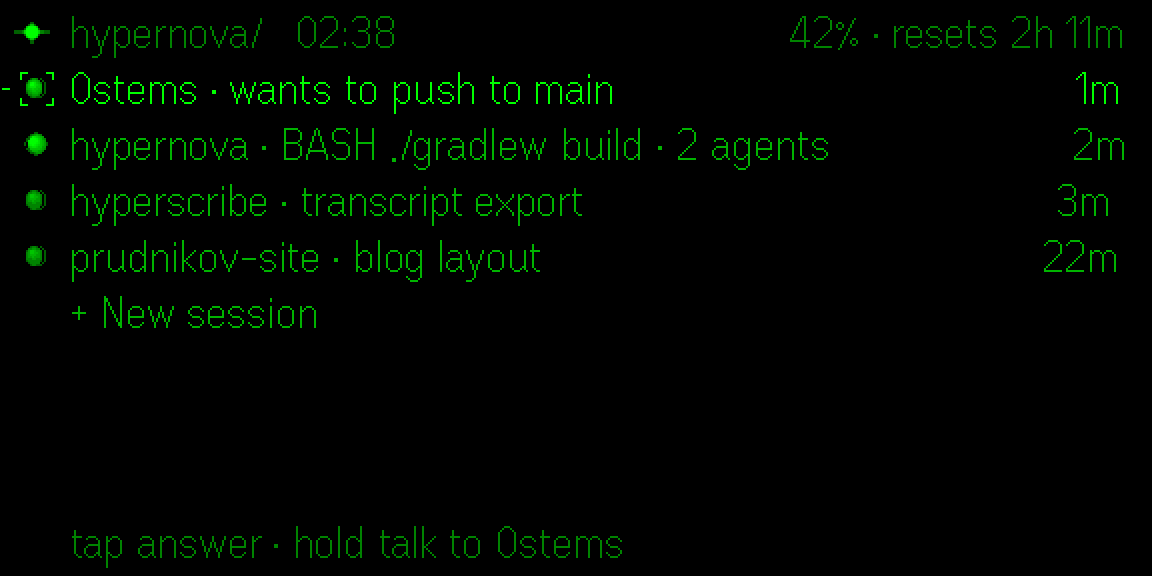
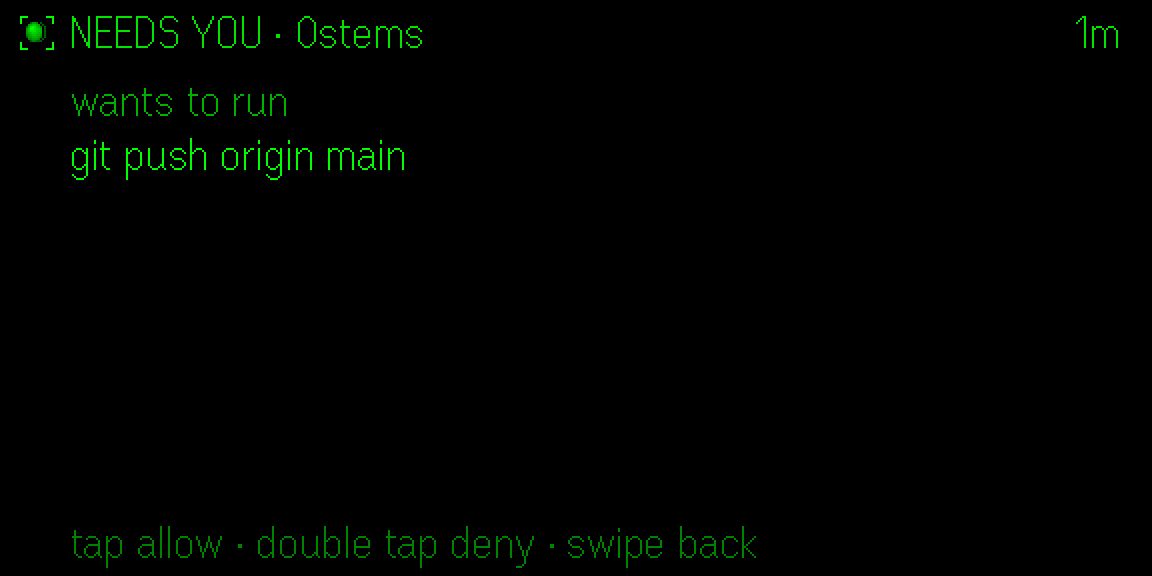
Leave the Mac in your backpack: the phone is your window, the glasses are your screen and your voice is the keyboard. Approve a command from the phone, answer Claude's question by voice, see what it built, and get a nudge when a usage limit lifts.
Everything runs on your own Mac. The phone and the glasses reach it over your own Tailscale network, and no Hypernova server sits in between. Provider keys never leave the Mac.
What it does
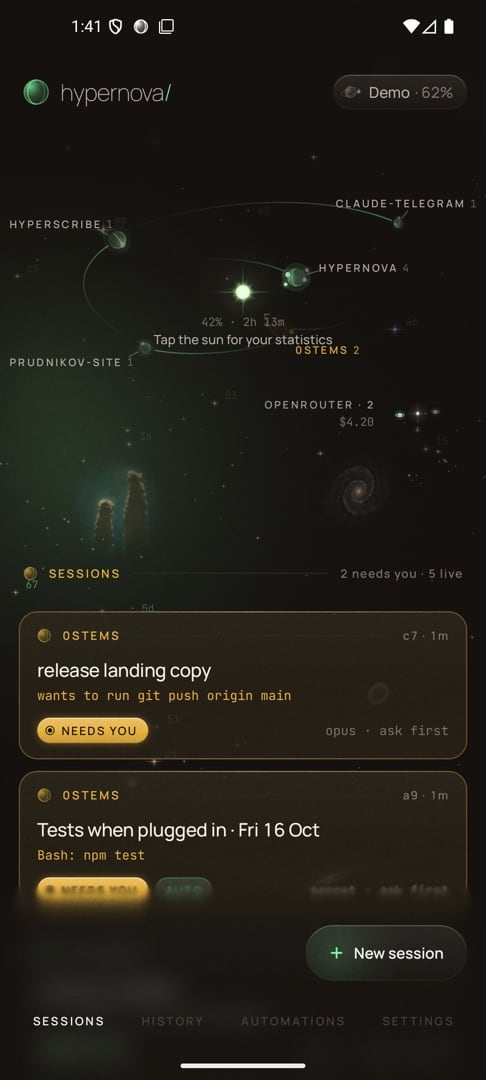
Your sessions as a sky
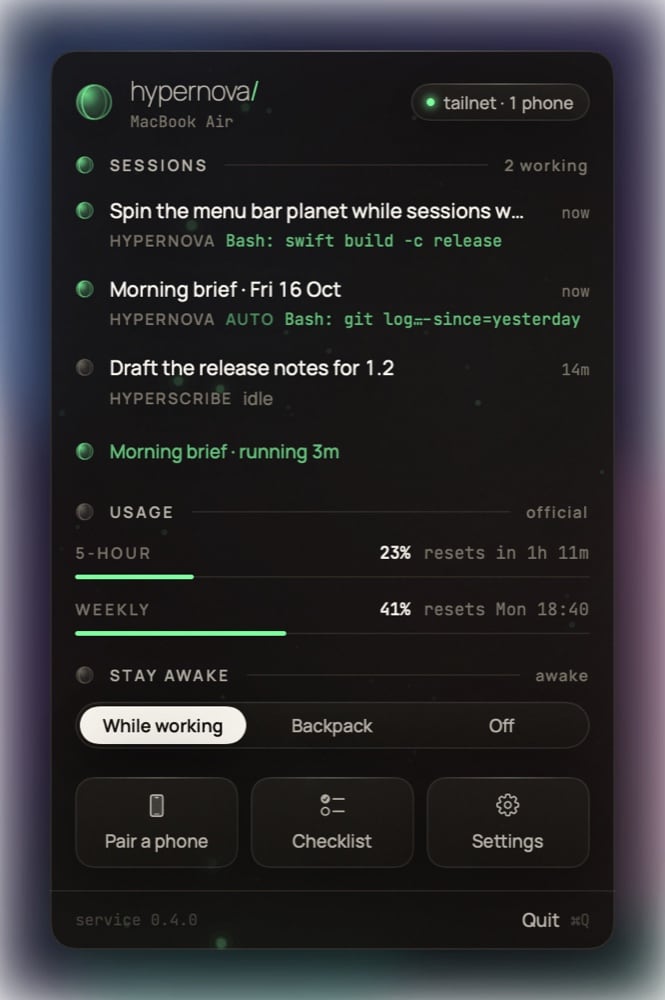
The sun is your 5-hour usage and projects orbit it as planets. It turns into a black hole at the limit and is reborn when the window resets.
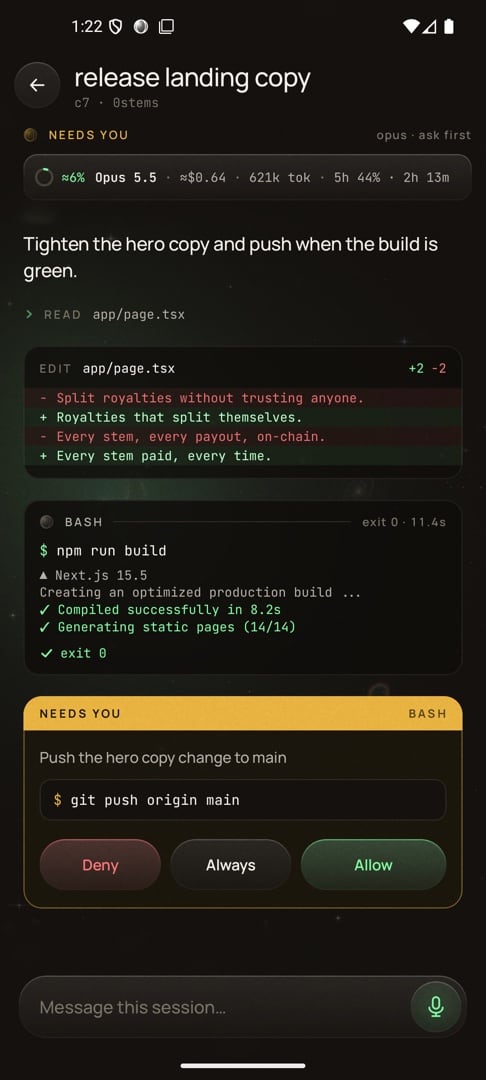
Approve from anywhere
Live output and the real terminal. Allow, deny or answer from the phone; risky commands get a second look.
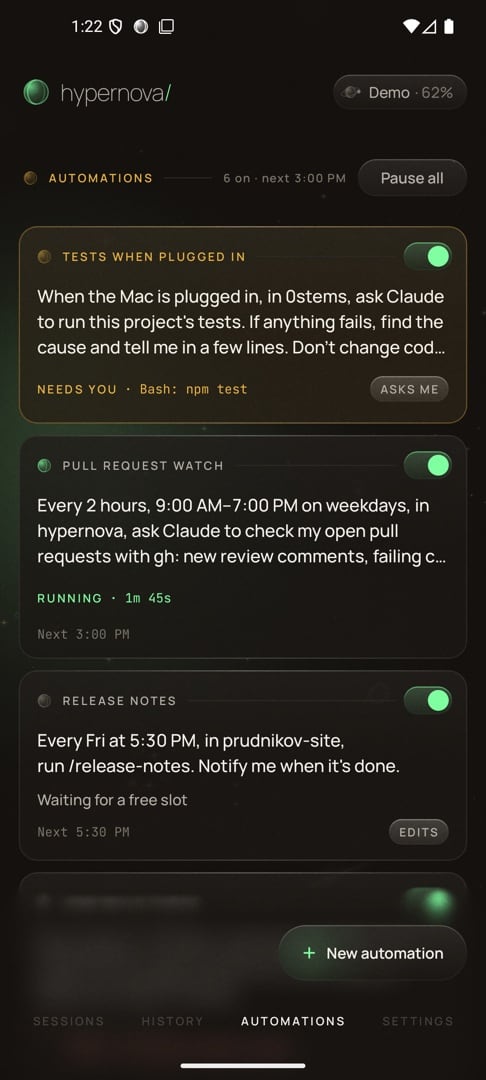
Automations
Morning briefs, “carry on after the limit”, tests when the Mac is plugged in. Never on paid credits without your yes.
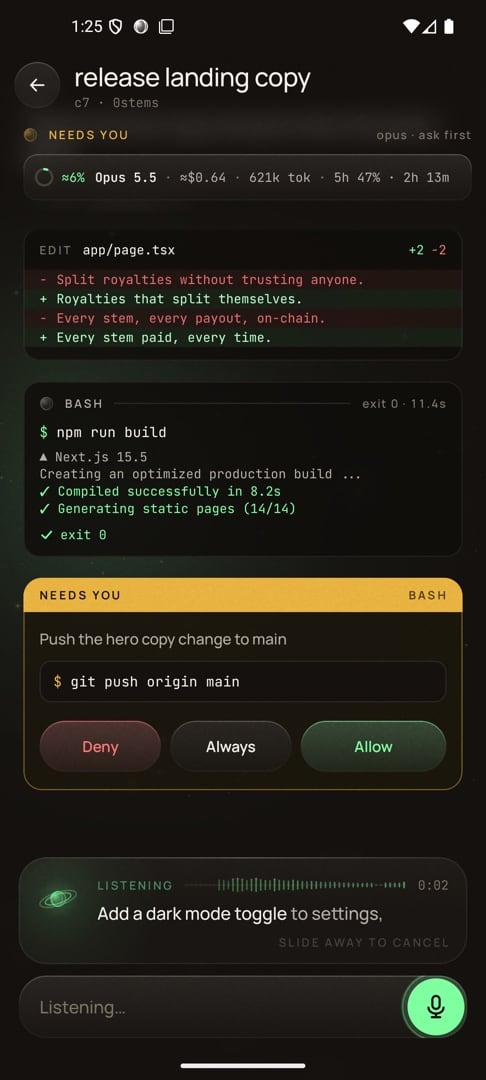
Talk to it
Real-time speech recognition, and replies read aloud through your headphones.
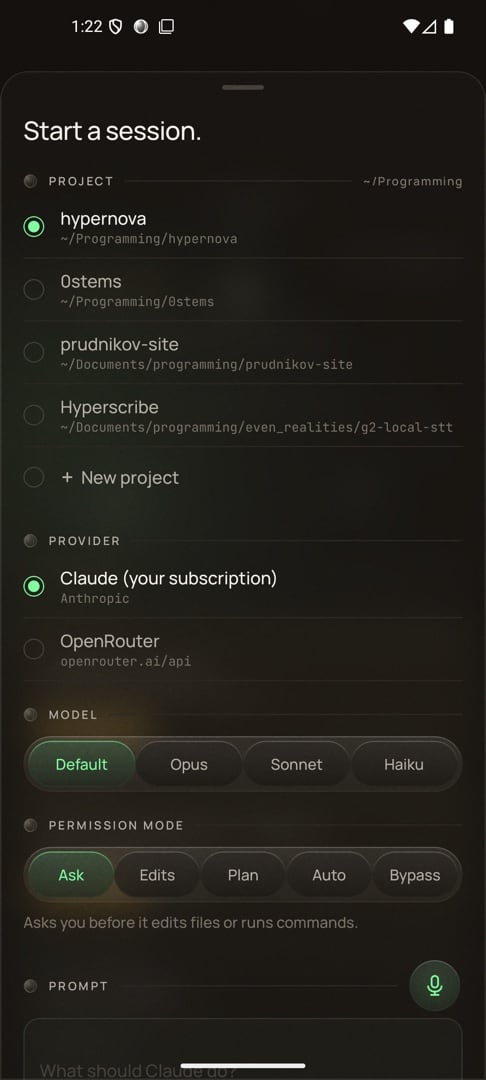
Start anything
Any project, model, mode or provider: Anthropic, OpenRouter or your own gateway.
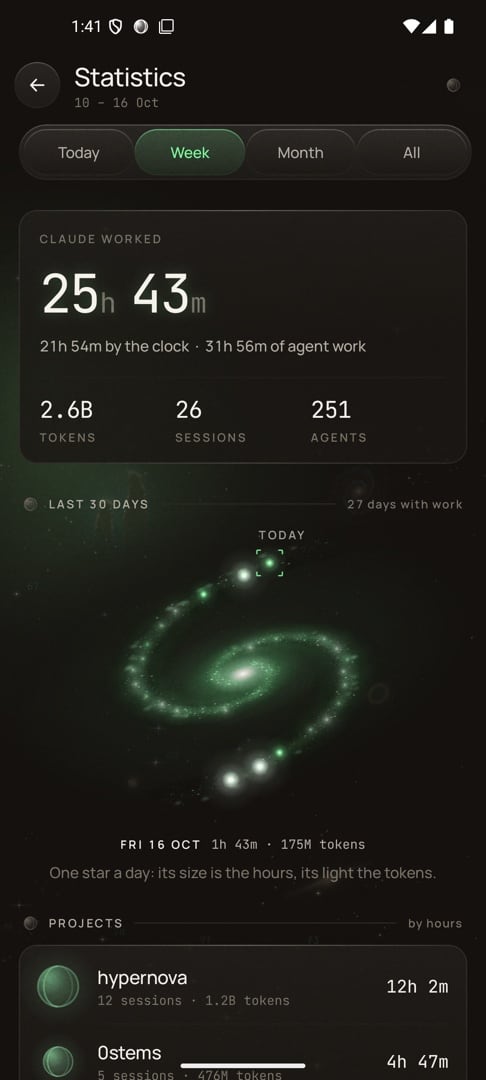
Honest statistics
Hours, tokens and sessions, not badges. Each day is a star in a galaxy.
Screens
What you need
- A Mac with macOS 14 or later, with Claude Code installed and signed in
- An Android phone with Android 10 or later
- Tailscale on the Mac and the phone (free), to reach the Mac away from home
- Optional: Even Realities G2 glasses, and a Soniox API key for voice
Set it up
Step by step, no coding needed.
Step 1: Install Claude Code on your Mac
Hypernova works with the Claude Code you already use. Install it and sign in once.
Claude Code docs ↗Step 2: Install Tailscale
Tailscale is a free app that links your own devices privately, wherever they are. Install it on the Mac and on the phone and sign in with the same account on both.
Get Tailscale ↗Step 3: Turn on two Tailscale settings
In the Tailscale admin console, open DNS and turn on MagicDNS and HTTPS certificates. This gives your Mac a private, encrypted address the phone can use.
Open the admin console ↗Step 4: Install Hypernova on the Mac
Download the Mac app, open it and let it move itself to Applications. Its setup installs the background service, connects the claude command and Tailscale for you. If macOS says it can’t check the developer, open System Settings → Privacy & Security and click Open Anyway (on macOS 14 you can also Control-click the app and choose Open).
No ready-made download yet: build it from source for now, as described under “For developers”. Build from source →
Step 5: Install the Android app
On the phone, download the Android app (the Mac app offers it too, on its download page). Android asks once to allow installs from your browser: allow it, then tap Install.
No ready-made download yet: build it from source for now, as described under “For developers”. Build from source →
Step 6: Pair the phone
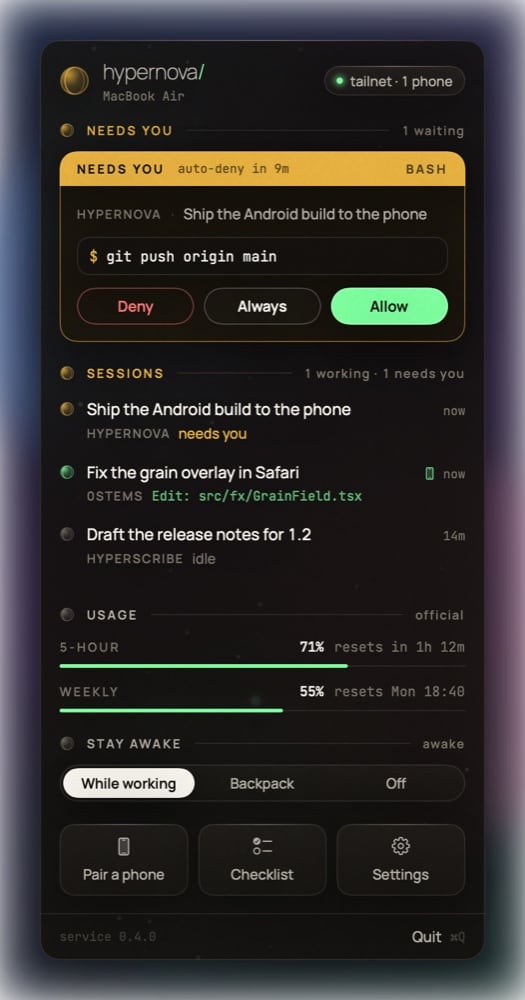
Click the planet in the menu bar and choose Pair a phone. Scan the code with the app. Your sessions appear on the phone right away.
Step 7: Optional: the glasses
Hypernova Lens runs on Even Realities G2. It is built with your own Mac’s address inside, so for now it is a developer install; the guide is in the repository.
For developers
Build from source
The Mac app, the Android app and the glasses app each build from the repository.
git clone https://github.com/prudnik-web/Hypernova.git && cd Hypernova

# The Mac app, with the daemon bundled
mac/build.sh --open

# The Android app (Android Studio's JDK)
cd android && ./gradlew :app:assembleDebug

# The glasses app: builds lens/out.ehpk
cd lens && npm install && npm run pack
The repository opens with the first public release; these commands work from then on.
What’s new
- The phone reaches the Mac directly on the same Wi-Fi or hotspot, and over Tailscale otherwise.
- The usage meter follows the newest reading, even when it drops.
- Automations: morning briefs, carry on after the limit, tests when plugged in.
- Voice on the phone, replies read aloud, Backpack +2 h, Continue now.
- Resume sessions after a reboot; What changed with diffs; quick prompts; providers.
- Lens: Telescope, new sessions from the glasses, pop-ups and a guide.
- Hypernova Lens v1: the control room on Even Realities G2 glasses.
- Agents inside sessions, home screen widgets, a spinning menu bar planet.
- First working version: the daemon, the Mac app, the live phone app and shared terminals.
Claude and Claude Code are products of Anthropic. Hypernova is an independent project and is not affiliated with Anthropic or Even Realities.
More projects
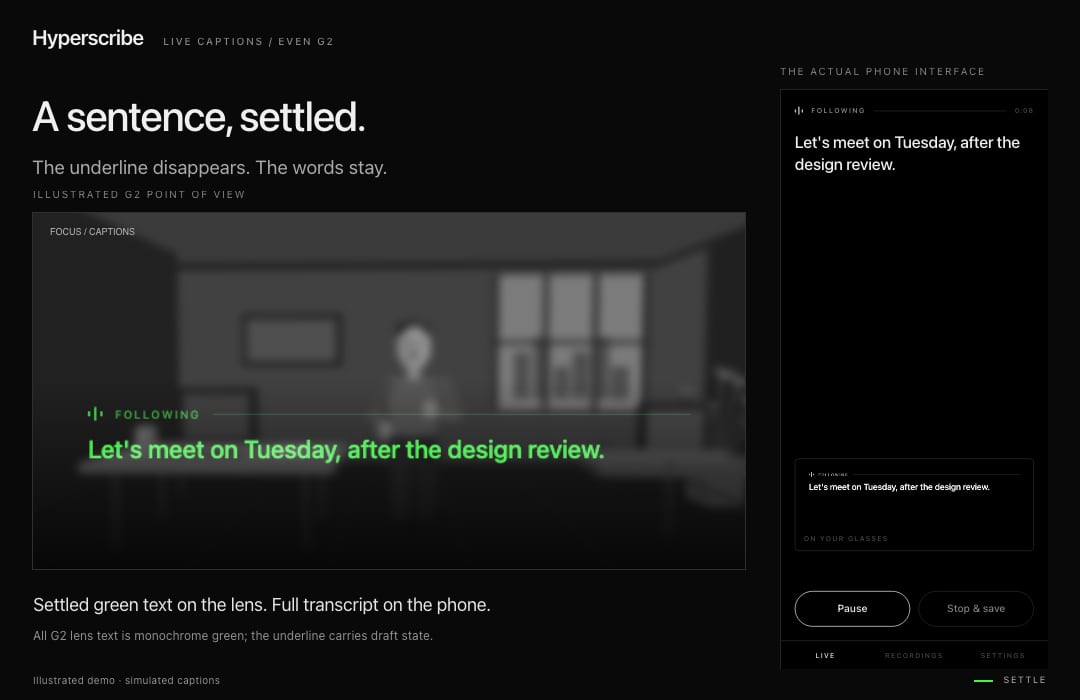
Live captions on your G2 glasses. Speech recognition stays on your own devices.
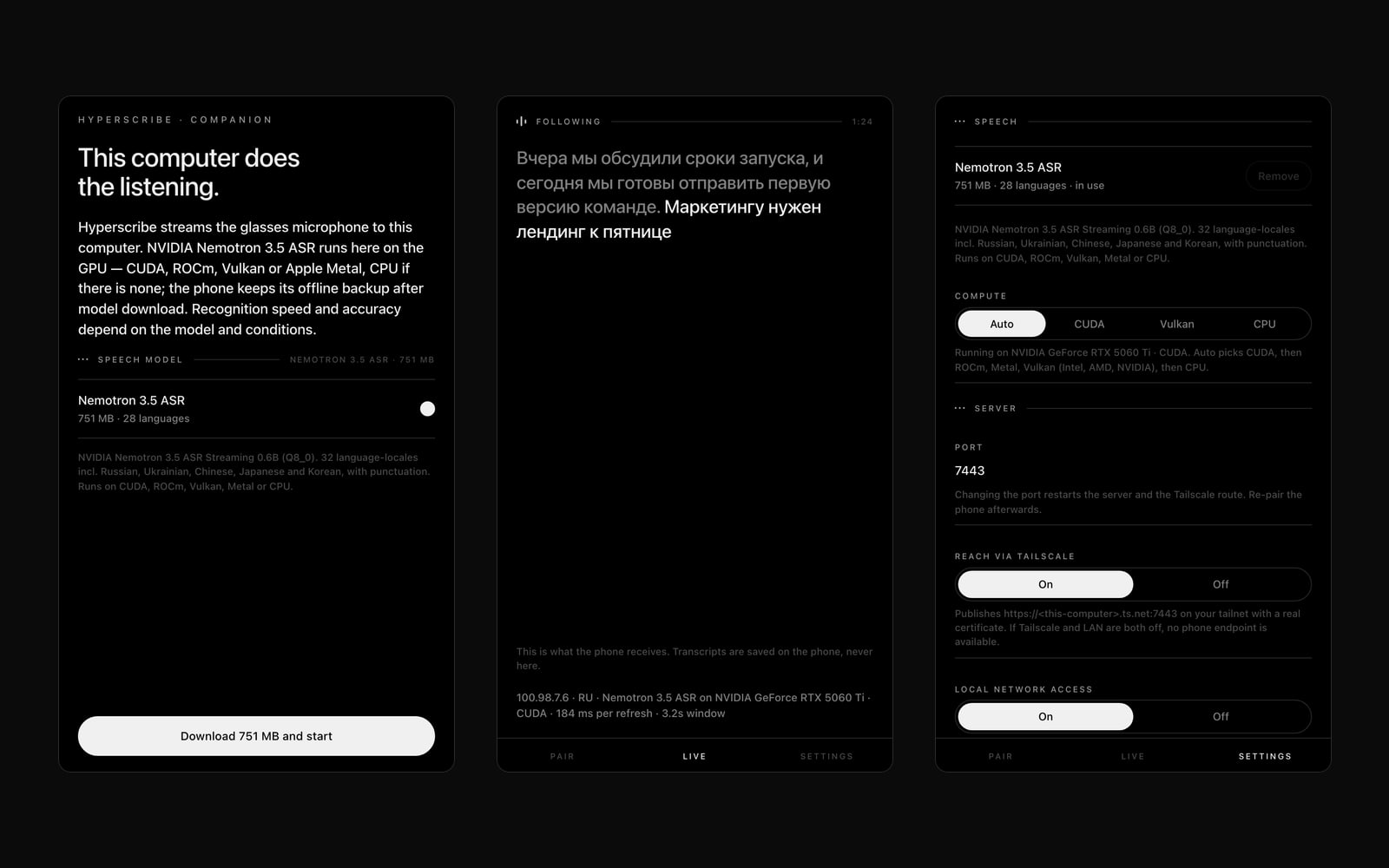
Runs Hyperscribe’s speech recognition on your computer’s GPU, for faster captions.
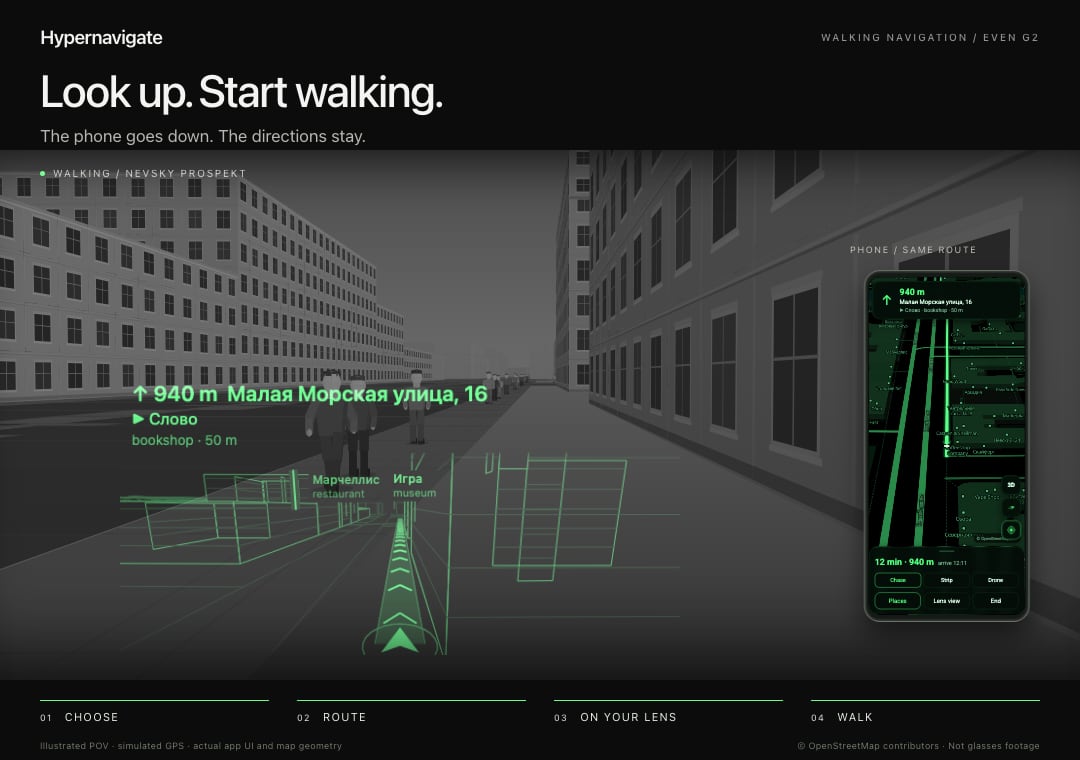
Offline 3D walking navigation on G2 glasses. Saint Petersburg first.